
Blog post
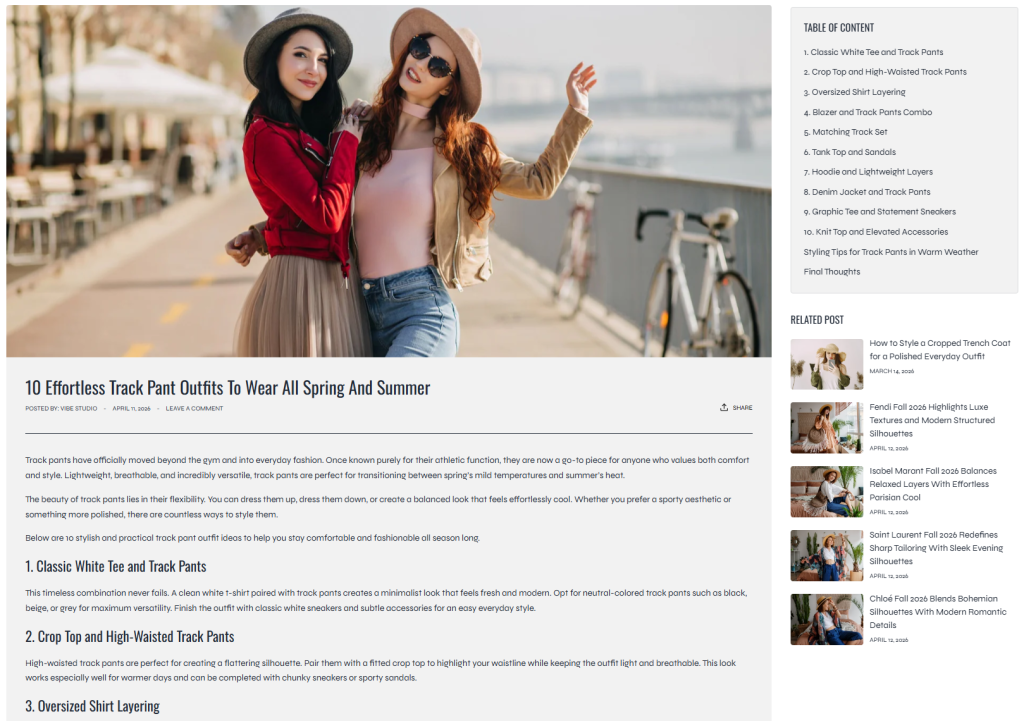
The Blog Post section is used to display the main content of individual blog articles on the storefront. This section provides a flexible and structured article layout that helps merchants present long-form content in a clean and user-friendly format.
With support for table of contents, related articles, and customizable content blocks, the section improves article readability, navigation, and customer engagement while maintaining a professional blog experience across all devices.
Related Products Inside Article Content
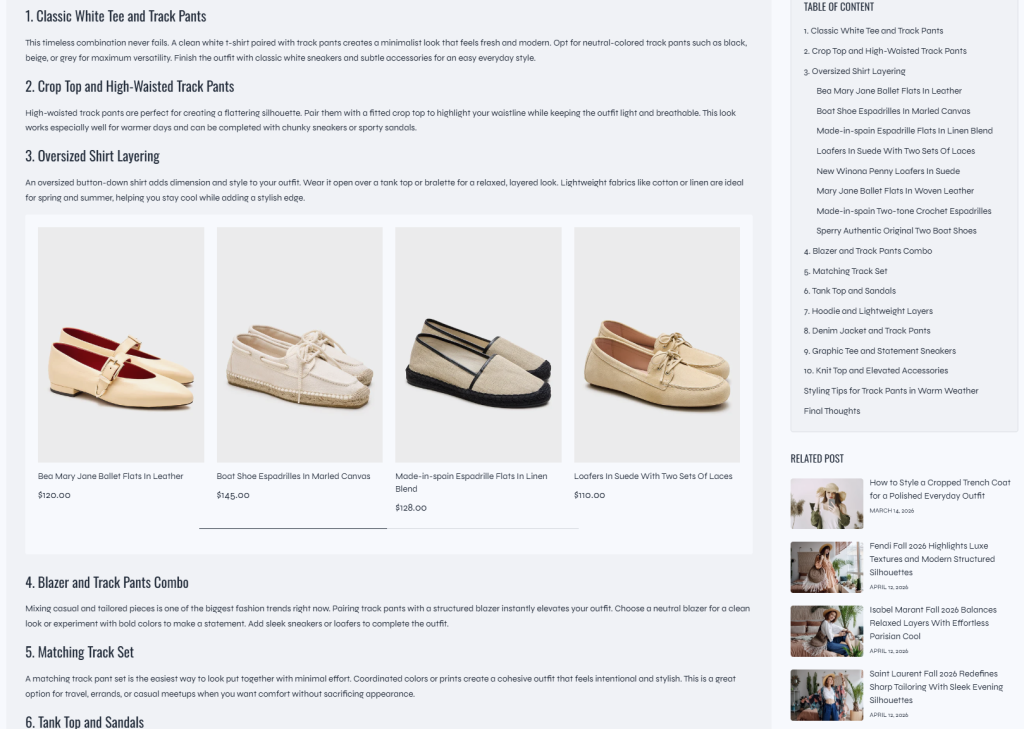
By default, Shopify articles do not provide a built-in way to display related products directly inside blog post content. To make this easier and more effective, White Ember includes a custom related products feature powered by Shopify Metafields.
Using this feature, merchants can easily assign related products to individual blog posts. The related products can then be displayed automatically within the article page, helping customers quickly discover products connected to the content they are reading.
This feature is especially useful for:
- Fashion styling articles
- Product tutorials
- Livestream recaps
- Editorial campaigns
- Product recommendations
- Shopping guides
Displaying related products directly inside blog posts helps create a smoother shopping experience while increasing product visibility and improving conversion opportunities for the store.
By combining content marketing with product discovery, this feature can help customers engage with products more naturally and efficiently throughout the reading experience.
For detailed setup instructions and configuration guidance, please refer to the related documentation article.
Settings
- Table of content
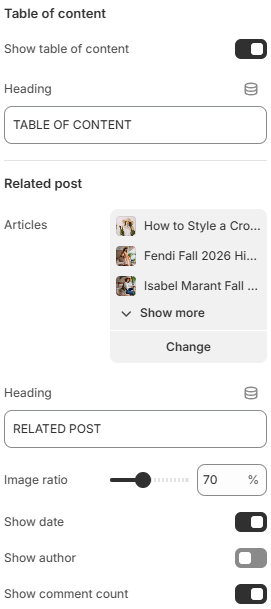
Show table of content: Displays a table of contents generated from the article structure to help customers quickly navigate through the blog post.
Heading: Defines the heading text displayed above the table of contents area. - Related post
Articles: Allows you to select and display related blog posts below the article content.
Heading: Defines the title displayed above the related posts section.
Image ratio: Controls the aspect ratio used for related article featured images.
Show date: Displays the publish date of related blog posts.
Show author: Displays the author name of related articles.
Show comment count: Displays the total number of comments for related blog posts.
The Blog Post section supports flexible content blocks, allowing merchants to customize how article information is displayed throughout the page.
Block: Image
The Image block displays featured or custom images inside the blog article layout.
Image ratio: Controls the aspect ratio used for displayed images.
Block: Title
The Title block displays the main article title along with optional article metadata and sharing functionality.
- Show date: Displays the publish date of the article.
- Show author: Displays the author name of the article.
- Show share button: Displays social sharing buttons for the blog post.
Block: Content
The Content block displays the main body content of the blog article.
Blog: Tags
The Tags block displays a list of tags associated with the current blog post.
Using clear article structures, organized content blocks, and related post suggestions can help improve readability and encourage customers to explore more blog content throughout the storefront.