How to Display Related Products Inside Shopify Articles
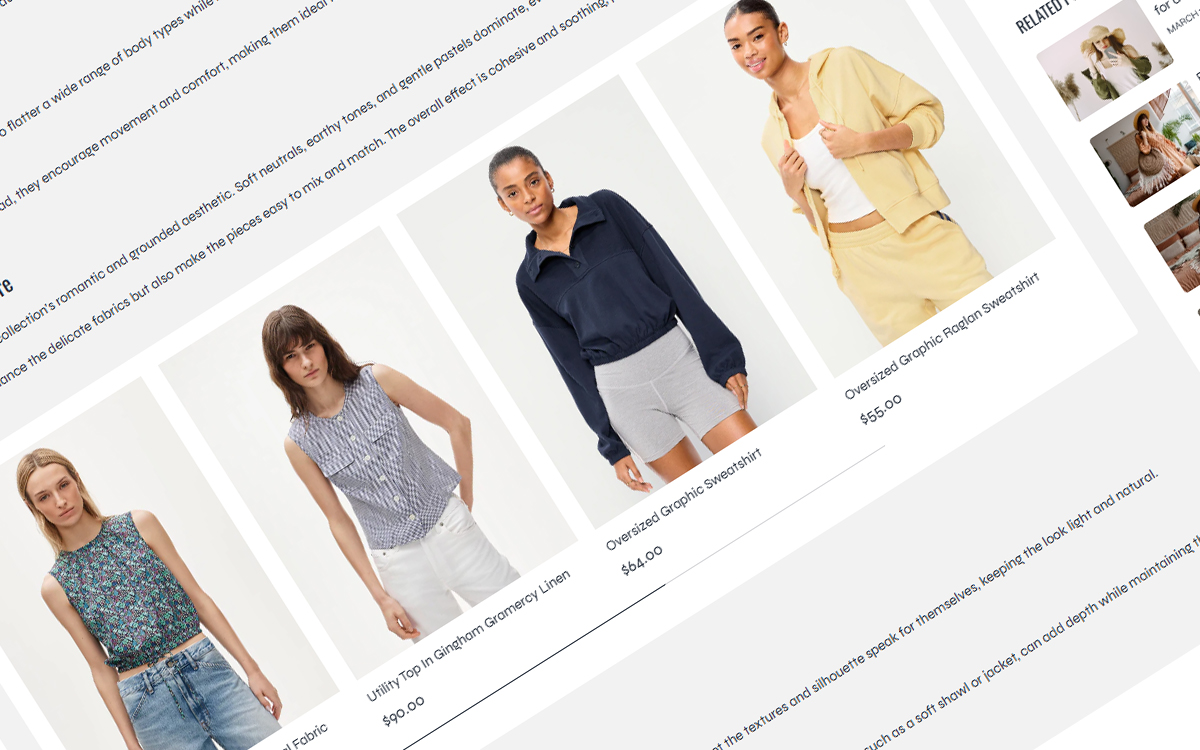
Our themes include a custom feature that allows merchants to display related products directly within Shopify blog post content using Shopify metafields.
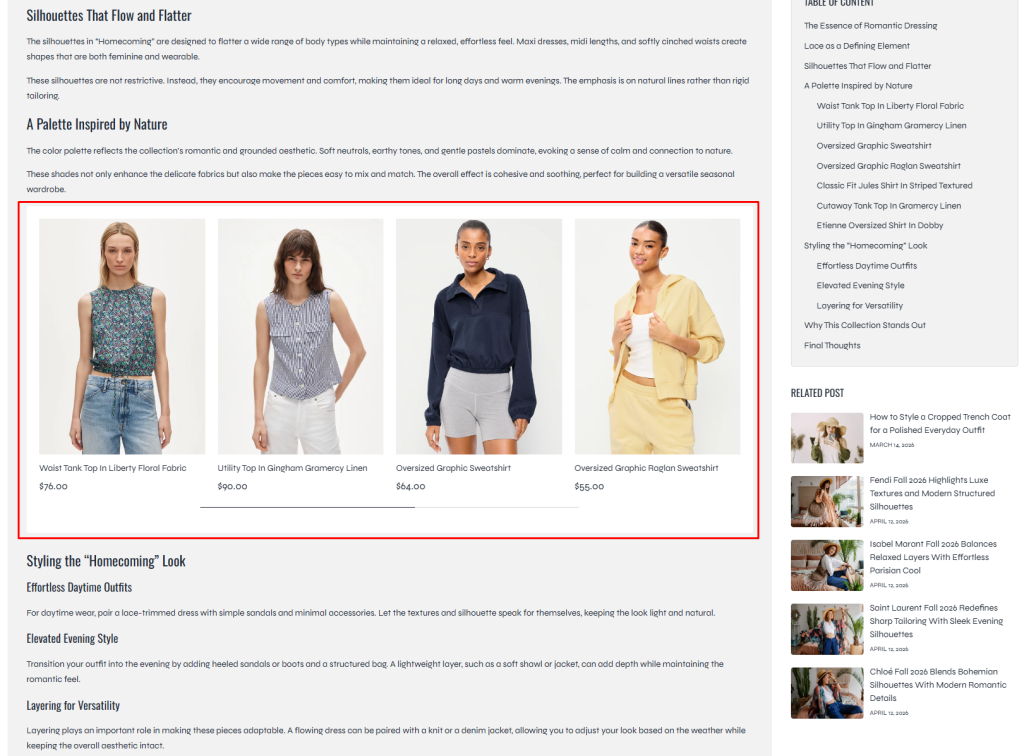
By default, Shopify does not support inserting dynamic product lists directly inside article content. This feature solves that limitation by allowing you to place a simple HTML placeholder anywhere inside your blog post. The placeholder will automatically be replaced with a related product carousel connected through a metafield.
This is a powerful way to:
- Increase product visibility inside articles
- Improve customer engagement
- Create editorial shopping experiences
- Connect blog content with related products
- Increase conversion opportunities from blog traffic
Table of contents
Step 1: Create the Article Metafield
Go to: Shopify Admin → Settings → Metafields and metaobjects → Blog posts
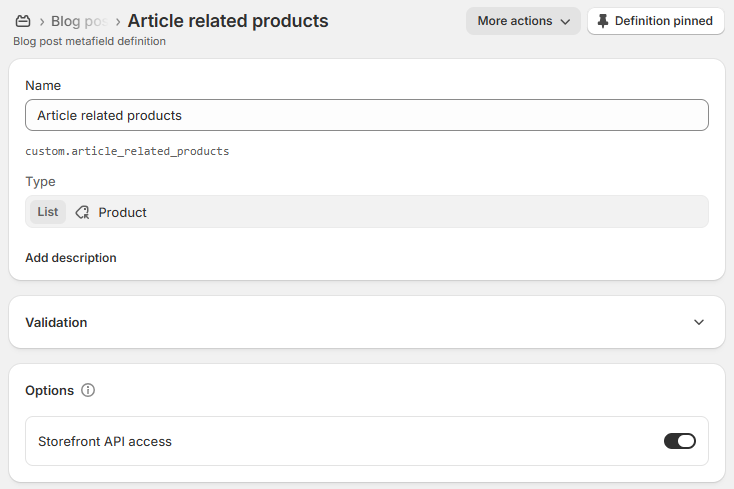
Then click Add definition and create the metafield with the following configuration.
Metafield Configuration
Name:
Article related products
Namespace and key:
custom.article_related_products
Type:
List of products
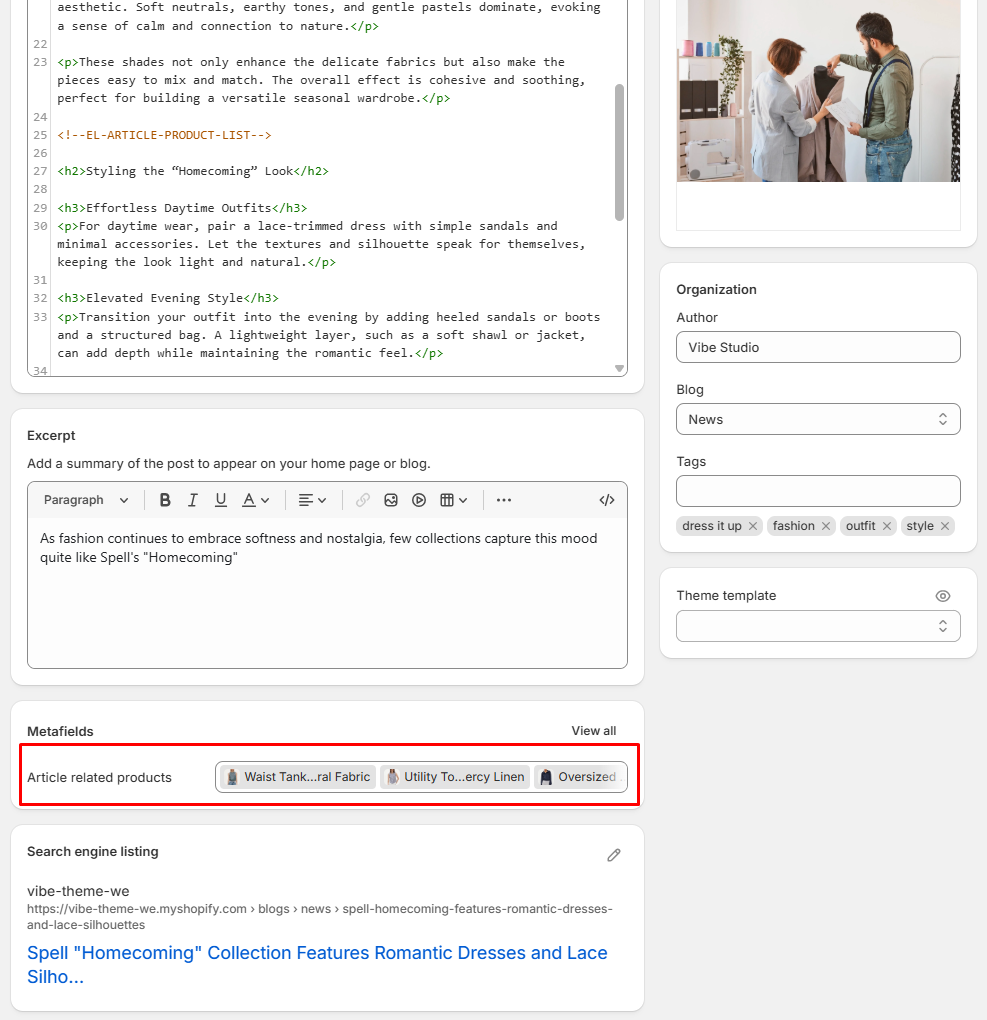
Step 2: Add Related Products to the Article
After creating the metafield:
- Open any blog post inside Shopify Admin
- Scroll down to the metafield section
- Locate the metafield: Article related products
- Select the products you want to display inside the article
You can add multiple products to create the related product carousel.
Step 3: Add the HTML Placeholder Inside Article Content
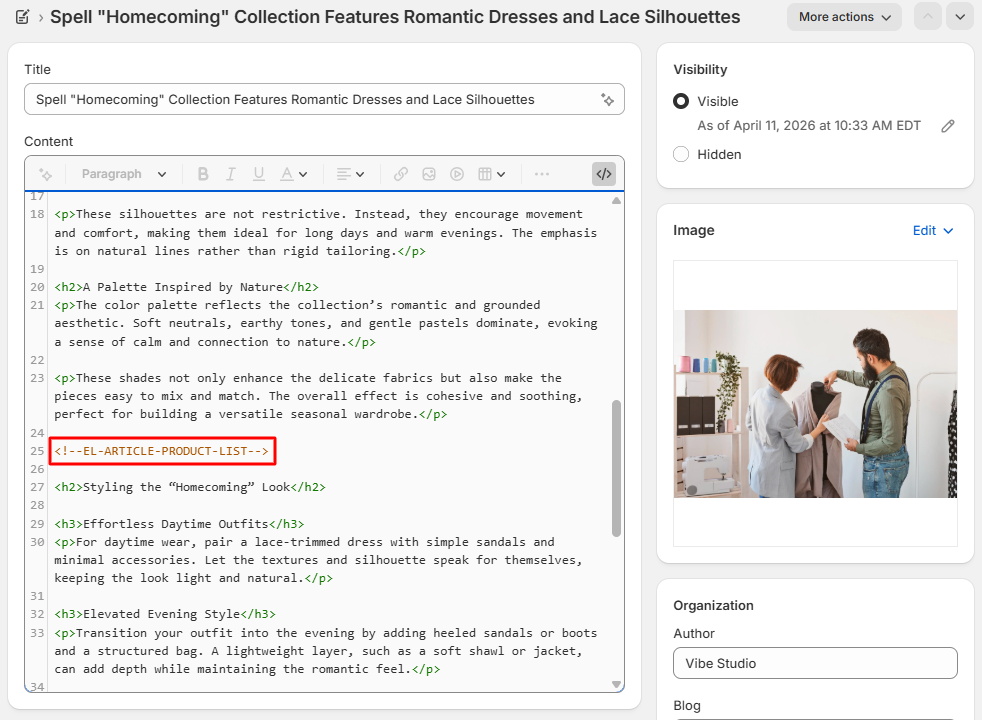
Inside the blog post editor, switch the article content editor to HTML mode, then insert the following HTML code at the position where you want the related products to appear.
<!--EL-ARTICLE-PRODUCT-LIST-->You can place this code between paragraphs
When the article is displayed on the storefront, this placeholder will automatically render the related products carousel.
Result
Notes
- The product list is automatically displayed as a responsive carousel
- The placeholder only works on article pages supported by our themes
- If no products are added to the metafield, nothing will be displayed
- The placeholder should only be used once inside a single article.
We recommend using this feature strategically throughout tutorials, styling guides, livestream recaps, and promotional articles to improve product discovery and increase customer engagement across your storefront.
If you have any questions, need assistance, or have ideas for additional features, feel free to contact us. We’re always happy to listen and help turn your ideas into reality for your storefront experience.