
Colors
This section allows you to create and manage multiple color schemes for your store. Each scheme can be applied to different sections, helping you build a flexible and visually consistent design across your website.
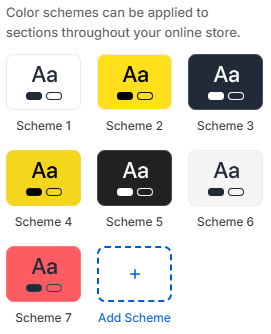
- Color scheme list: Displays all available color schemes. You can select, edit, or apply a scheme to different sections.
- Add scheme: Create a new color scheme to use across your store.
Color Scheme Configuration
Each color scheme lets you define a complete set of colors used throughout sections that apply it.
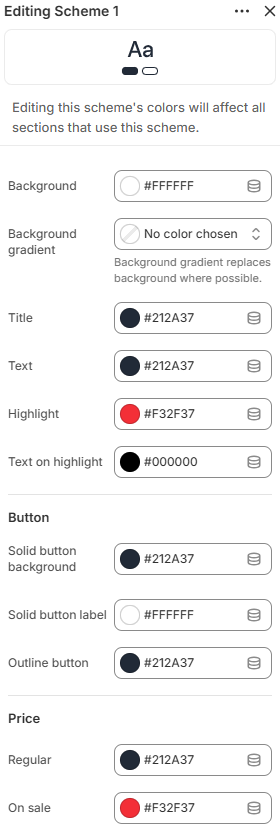
- Background: Sets the main background color for the section.
- Background gradient: Applies a gradient background. When used, it will override the solid background where supported.
- Title: Defines the color of headings and titles.
- Text: Sets the default color for body text.
- Highlight: Used for accent elements such as badges, links, or important UI highlights.
- Text on highlight: Defines the text color displayed on highlighted backgrounds for better readability.
- Solid button background: Sets the background color for primary (filled) buttons.
- Solid button label: Defines the text color inside solid buttons.
- Outline button: Sets the color for outline-style buttons, including border and text.
- Price (Regular): Defines the color for regular product prices.
- Price (On sale): Sets the color for discounted prices to make them stand out.