
Rich text
The Rich Text section allows merchants to display flexible text-based content anywhere on the storefront. This section is ideal for introducing brand messages, promotional content, store information, announcements, or marketing copy in a clean and customizable layout.
The section supports multiple content blocks, including Heading, Spacing, Text, and Buttons blocks, allowing merchants to build structured content areas with flexible layouts and call-to-action elements.

Settings
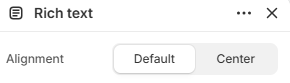
- Alignment: Controls the overall content alignment inside the section. Available options include Default and Center alignment.
Block: Heading
The Heading block allows merchants to add customizable heading content inside the Rich Text section. This block is useful for displaying titles, promotional messages, introductions, or highlighted marketing content with flexible typography controls.
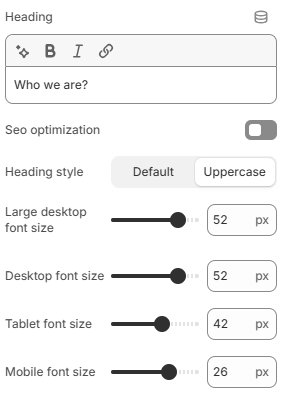
- Heading: Adds the main text content displayed as the heading.
- SEO optimization: By default, the heading uses an H1 tag. When enabled, the heading will use an H2 tag for improved page structure and SEO flexibility.
- Heading style: Controls the visual style of the heading text. Available options include Default and Uppercase.
- Large desktop font size: Controls the heading font size on large desktop screens.
- Desktop font size: Defines the heading font size for desktop devices.
- Tablet font size: Adjusts the heading font size displayed on tablet devices.
- Mobile font size: Controls the heading font size on mobile devices for better responsiveness and readability.
Block: Text
The Text block allows merchants to add descriptive content inside the Rich Text section. This block is commonly used for brand introductions, promotional messages, announcements, or supporting information that complements heading and button content.
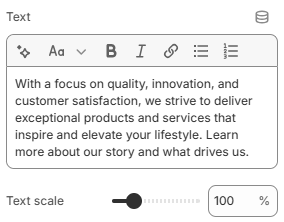
- Text: Allows you to enter and display custom text content inside the block.
- Text scale: Controls the overall text size to increase or decrease visual emphasis.
Block: Buttons
The Buttons block allows merchants to add call-to-action buttons inside the Rich Text section. This block supports two buttons with identical settings, making it easy to guide customers toward collections, products, promotions, or other important pages.
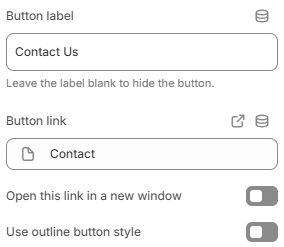
- Button label: Defines the text displayed on the button. Leave empty to hide the button.
- Button link: Sets the destination URL for the button.
- Open this link in a new window: Opens the button link in a new browser tab or window when enabled.
- Use outline button style: Applies an outline-style button appearance instead of a solid button style.
Block: Spacing
The Spacing block allows merchants to add adjustable spacing between content blocks inside the Rich Text section. This block is useful for improving layout structure, creating better visual separation, and maintaining clean content organization across different screen sizes.
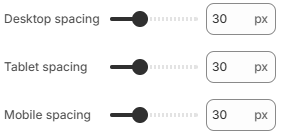
- Desktop spacing: Controls the spacing size displayed on desktop devices.
- Tablet spacing: Adjusts the spacing size for tablet layouts.
- Mobile spacing: Defines the spacing size displayed on mobile devices.
The Rich Text section is designed to provide a flexible content area that can adapt to different types of storefront messaging. By combining headings, descriptive text, spacing controls, and call-to-action buttons, merchants can create more structured and visually balanced layouts that improve content readability and customer engagement. For the best presentation, keep text concise, maintain consistent spacing between blocks, and use alignment settings that complement the overall page design.