
Cart
This section allows you to configure how the cart is displayed and how customers interact with it. You can choose different cart layouts and enable additional features to improve the shopping experience.
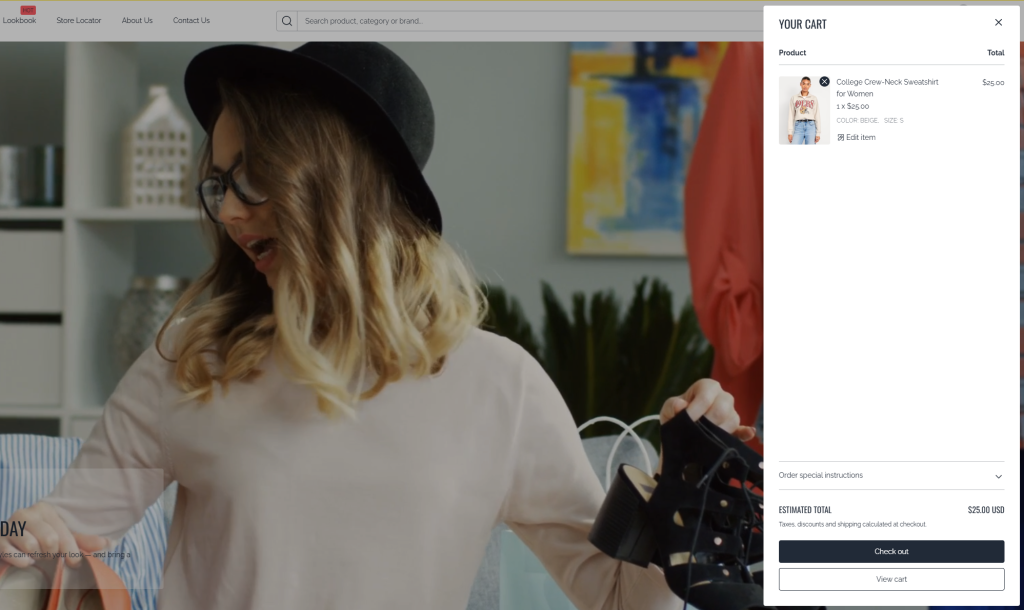
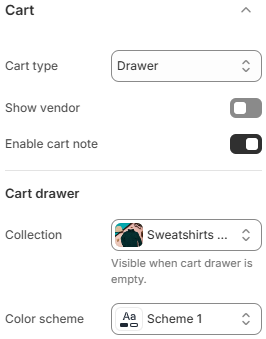
- Cart type: Choose how the cart is presented to customers. Options include Drawer (slide-out panel), Page (dedicated cart page), and Popup notification (a quick confirmation when items are added).
- Show vendor: Display the product vendor/brand name in the cart.
- Enable cart note: Allow customers to add a note or special instructions to their order.
- Collection: Select a collection to display when the cart drawer is empty. This helps promote products and encourage customers to continue shopping.
- Color scheme: Choose the color scheme applied to the cart drawer.
Selecting the right cart type can impact conversion and user experience. Drawer and popup options provide a faster, more seamless shopping flow, while the cart page offers a more detailed overview. Showing additional information like vendor or enabling cart notes can enhance clarity and personalization for customers.