
Featured post
The Featured Post section allows merchants to showcase selected blog articles in visually organized layouts directly on the storefront. This section is ideal for highlighting featured news, fashion articles, promotional stories, tutorials, or editorial content while improving customer engagement with blog content.
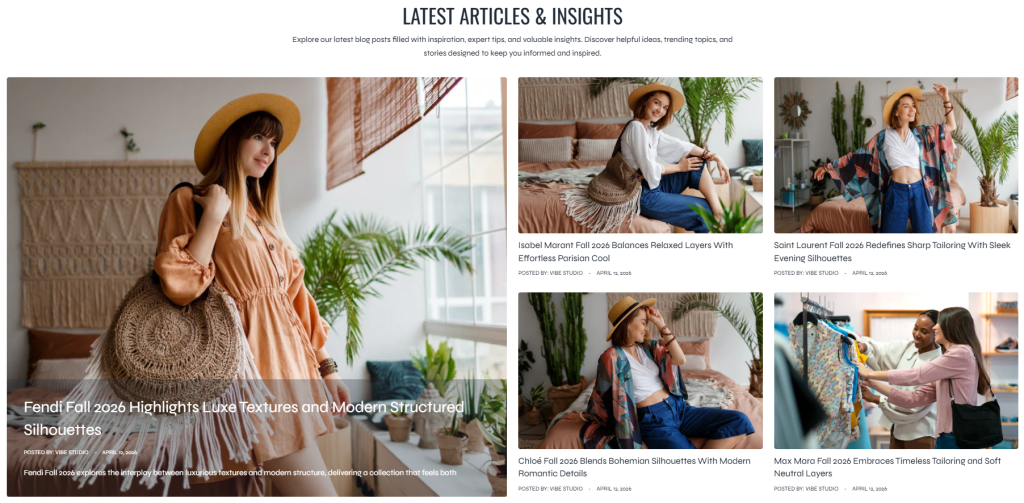
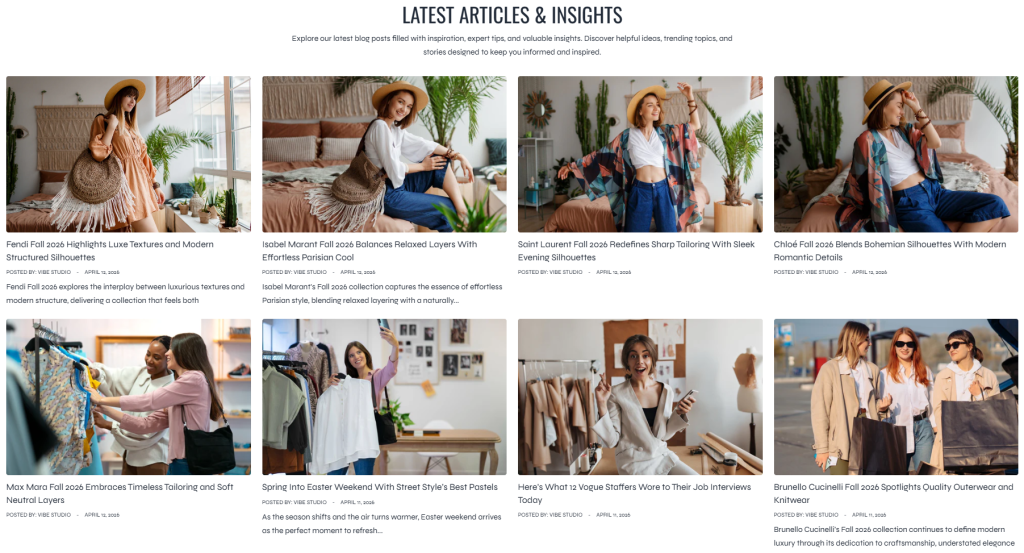
The section supports both Grid and Collage layouts, allowing merchants to create flexible blog presentations that match different storefront styles and content strategies.
Layout: Collage
Layout: Grid
Settings
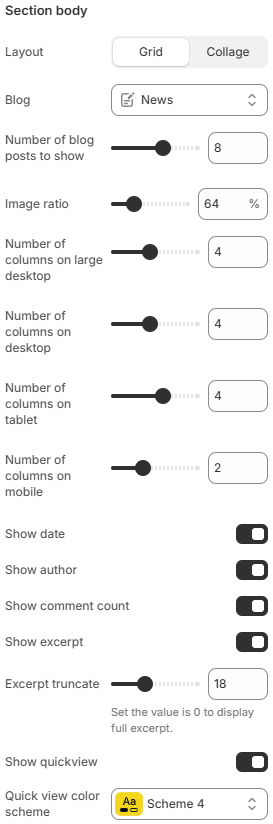
- Layout: Controls the article display layout. Available options include Grid and Collage.
- Blog: Selects the blog source used for displaying featured articles.
- Number of blog posts to show: Limits the total number of blog posts displayed inside the section.
- Image ratio: Controls the aspect ratio used for blog featured images.
- Number of columns on large desktop: Defines how many blog columns are displayed on very large desktop screens.
- Number of columns on desktop: Controls the blog layout displayed on desktop devices.
- Number of columns on tablet: Adjusts the blog layout for tablet devices.
- Number of columns on mobile: Defines the number of blog columns displayed on mobile devices.
- Show date: Displays the publish date of each blog post.
- Show author: Displays the author name of each article.
- Show comment count: Displays the total number of comments for each blog post.
- Show excerpt: Displays a short preview text from the article content.
- Excerpt truncate: Controls the maximum length of the displayed excerpt text before truncation is applied.
Using balanced article layouts, consistent featured imagery, and concise excerpts can help improve blog discoverability while creating a cleaner and more engaging editorial experience across the storefront.