
Logo
This section allows you to upload and customize your store’s logo for the header, as well as set a favicon for browser tabs. These settings help ensure your brand is displayed clearly and consistently across all devices.
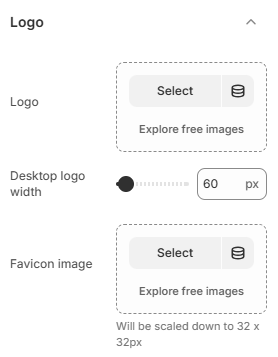
- Logo: Upload the main logo displayed in the header of your store.
- Desktop Logo Width: Adjust the width of the logo on desktop devices. The logo will scale proportionally to maintain its aspect ratio.
- Favicon Image: Upload a small icon used in browser tabs and bookmarks. The image will be automatically scaled to 32 × 32px.
Note: For the best results, use a high-quality logo with a transparent background (PNG or SVG). Make sure the logo size is well-balanced with your header layout, and use a simple, recognizable favicon to strengthen your brand identity.