Shopify Theme Performance: Features That Can Slow Down Your Store
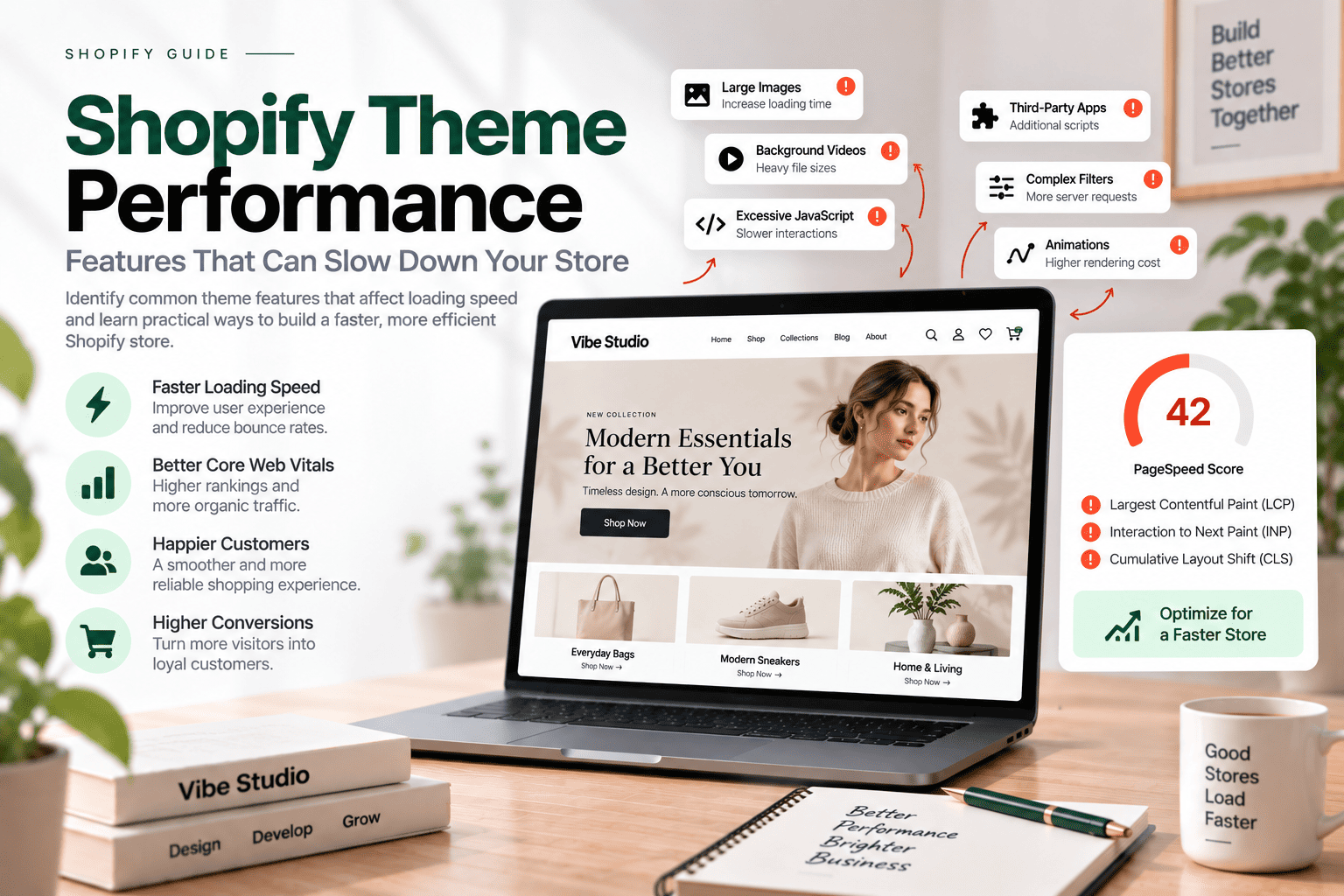
A Shopify theme influences how customers interact with your online store, from browsing products to adding items to their cart. While advanced features can improve the shopping experience, poorly optimized implementations may increase loading time, browser processing, and maintenance requirements.
JavaScript, animations, image sliders, videos, and third-party integrations are common examples of features that can affect Shopify theme performance. However, these features are not automatically harmful. Their impact depends on how they are developed, when resources are loaded, and whether they provide meaningful value to customers.
In this guide, we explore the Shopify theme features that may affect store speed and explain practical ways to build a more efficient, performance-focused storefront.
Table of contents
- What Is Shopify Theme Performance?
- How Shopify Theme Features Affect Store Speed
- Shopify Theme Features That Can Slow Down Your Store
- How Unnecessary Features Affect Core Web Vitals
- Practical Ways to Improve Shopify Theme Performance
- How to Build a Performance-Focused Shopify Theme
- Shopify Theme Performance Checklist
- How to Test Shopify Theme Performance
- When Should You Consider Custom Shopify Theme Development?
- Why Performance Should Be Considered Before Launch
- Final Thoughts
What Is Shopify Theme Performance?
Shopify theme performance describes how efficiently a theme loads content, displays page elements, responds to user interactions, and supports a smooth shopping experience.
A well-optimized theme should help customers:
- Access important content quickly.
- Navigate between pages smoothly.
- Interact with buttons, filters, and forms without unnecessary delays.
- Browse products comfortably on mobile devices.
- Complete shopping actions without performance-related interruptions.
Several factors influence storefront performance, including theme code, Liquid rendering, JavaScript, images, third-party apps, and external services.
Shopify provides infrastructure-level optimizations, but theme developers still have an important role in how storefront resources are structured and delivered. Shopify’s official documentation recommends building themes with performance in mind and minimizing unnecessary JavaScript.
How Shopify Theme Features Affect Store Speed
Adding more features does not automatically mean a Shopify store will become slower. The main consideration is how each feature is implemented and how many resources it requires.
For example, a lightweight product comparison component may have a limited impact, while a complex feature that loads multiple libraries and external requests could require more browser processing.
When evaluating Shopify theme performance, consider:
- How much JavaScript the feature requires.
- Whether CSS and scripts load on every page.
- Whether content is rendered directly in Liquid and HTML.
- Whether external services are involved.
- Whether the feature is needed immediately.
- How the feature behaves on mobile devices.
The goal is not to remove useful functionality. Instead, developers should deliver essential features efficiently and avoid unnecessary resource usage.
Shopify Theme Features That Can Slow Down Your Store
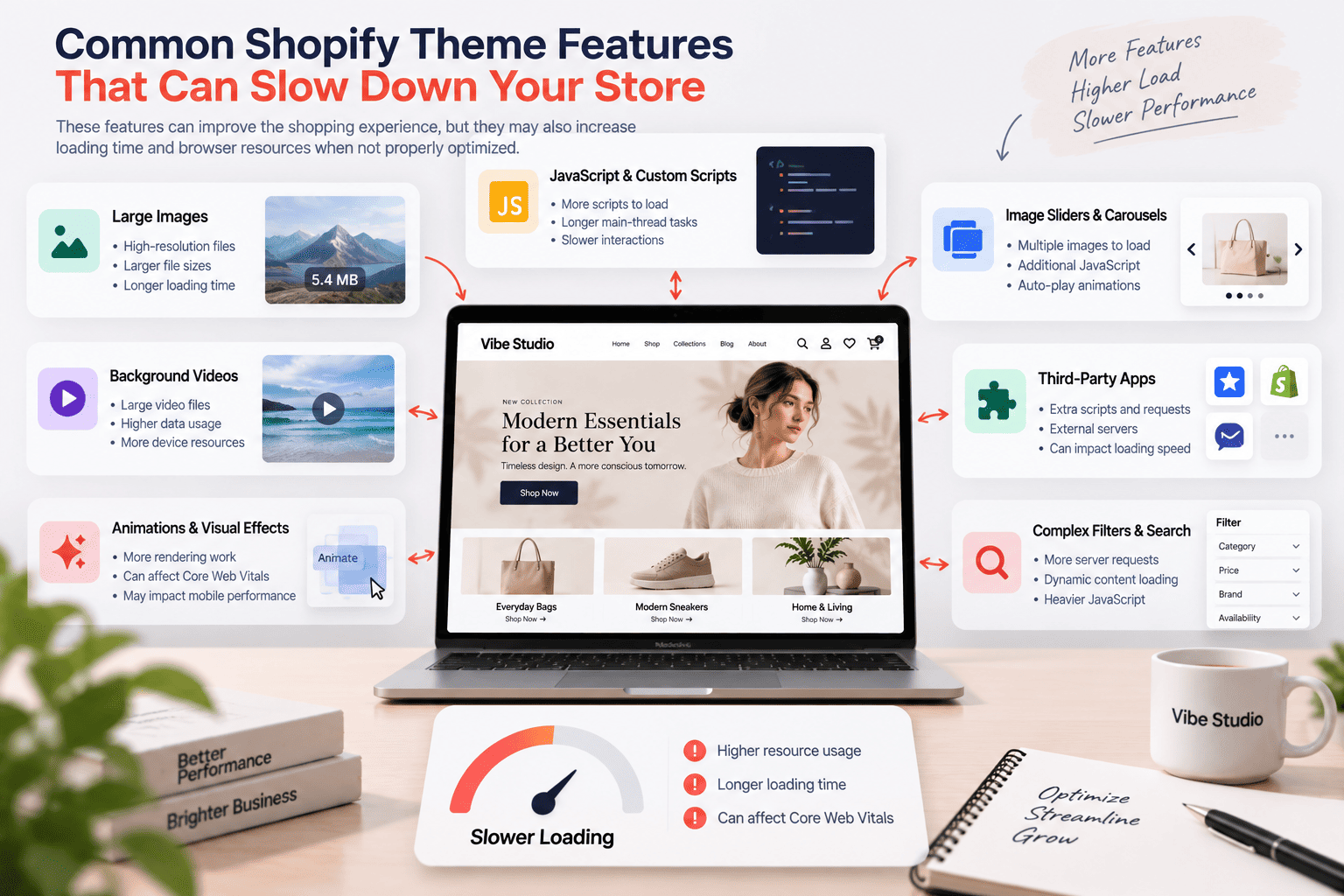
1. JavaScript and Custom Scripts
JavaScript supports many interactive Shopify theme features, including:
- Quick view.
- Predictive search.
- Product comparison.
- Product filtering.
- Dynamic cart updates.
- Sticky navigation.
- Interactive product galleries.
- Custom modal windows.
However, excessive or inefficient JavaScript can increase main-thread activity. This may delay important rendering tasks or reduce responsiveness when customers interact with the page.
Common problems include:
- Loading scripts on pages where they are not needed.
- Executing large scripts during the initial page load.
- Including multiple libraries for similar functionality.
- Running expensive operations during scrolling.
- Using unnecessary event listeners.
- Rendering essential content only after JavaScript executes.
How to Optimize JavaScript
Consider the following approaches:
- Load scripts only when their features are required.
- Use
deferfor suitable non-critical scripts. - Load advanced modules when customers interact with a component.
- Remove unused libraries and duplicate functionality.
- Keep event handlers lightweight.
- Render essential content through Liquid and HTML where possible.
Shopify recommends reducing unnecessary JavaScript and using interaction-based loading for components that do not need to be initialized immediately.
You can also review your theme using tools such as Shopify Theme Check and browser developer tools to identify potential performance issues.
2. Animations and Visual Effects

Animations can make a Shopify storefront more engaging. Scroll reveals, hover effects, image transitions, and interactive sections are frequently used in modern ecommerce designs.
However, too many animations may increase rendering work, particularly on mobile devices or computers with limited processing power.
Potential issues include:
- Excessive browser rendering.
- Delayed display of important content.
- Layout recalculations.
- Increased JavaScript execution.
- Distracting movement during navigation.
Animations should support the customer experience rather than interfere with it.
Best Practices for Theme Animations
To improve Shopify theme performance:
- Use animations only when they have a clear purpose.
- Prefer lightweight CSS transitions when appropriate.
- Animate
transformandopacitywhere possible. - Avoid unnecessary changes to layout-related properties.
- Respect the
prefers-reduced-motionaccessibility setting. - Avoid hiding important content behind long reveal animations.
Shopify specifically recommends avoiding animations that delay the LCP element and prioritizing efficient animation properties.
3. Image Sliders and Carousels
Image sliders are common in homepage sections, promotional banners, product galleries, and collection pages.
They can create performance issues when they contain large images, multiple high-resolution slides, or complex JavaScript functionality.
Potential concerns include:
- Loading several images before they are visible.
- Using oversized desktop images on mobile devices.
- Loading unnecessary slider libraries.
- Applying autoplay transitions to multiple elements.
- Delaying the main content with complex effects.
The first visible hero image may become the page’s Largest Contentful Paint element. Therefore, its loading strategy deserves particular attention.
How to Optimize Image Sliders
Follow these practices:
- Use responsive image sizes for different devices.
- Compress images while maintaining acceptable visual quality.
- Avoid lazy-loading the main LCP image.
- Lazy-load images that appear below the initial viewport.
- Load additional slides only when appropriate.
- Reduce unnecessary autoplay and transition effects.
Shopify recommends using responsive image features and ensuring that important above-the-fold images are loaded with suitable priority.
4. Background Videos
Background videos can create a strong visual impression for fashion, lifestyle, furniture, and other brand-focused stores.
However, video files are usually larger than static images and may require additional network and device resources.
Common concerns include:
- Large file downloads.
- Increased mobile data usage.
- Additional CPU and battery consumption.
- Delayed display of important content.
- Reduced usability on slower connections.
Practical Video Optimization
If your Shopify theme includes background videos:
- Compress video files.
- Provide a suitable poster image.
- Avoid autoplay with sound.
- Consider using a static image on mobile devices.
- Load videos only when they are relevant.
- Provide a fallback for browsers or devices that do not support the experience.
A background video should enhance the storefront without preventing customers from accessing essential information.
5. Third-Party Shopify Apps and Integrations
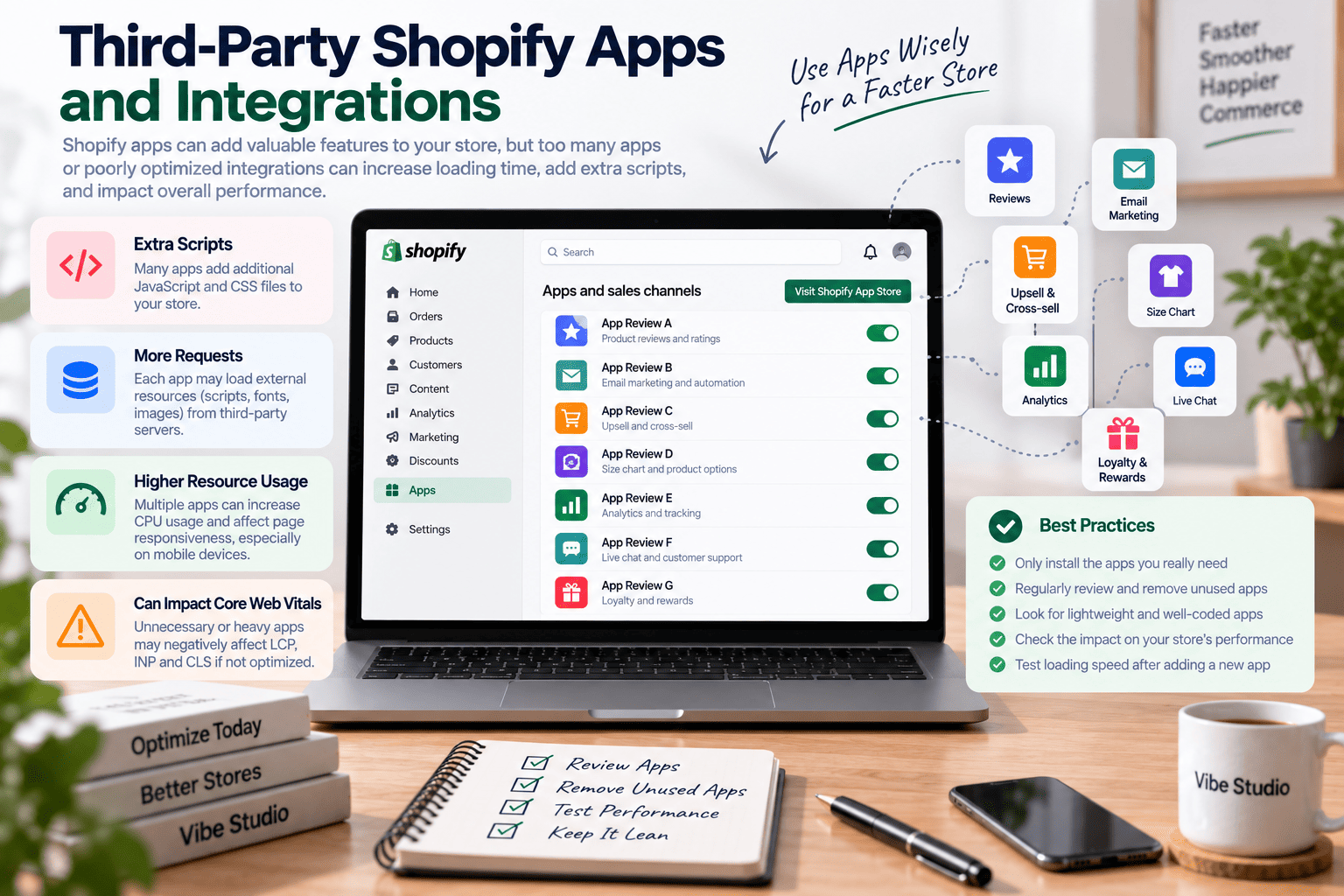
Third-party apps can add valuable functionality to Shopify stores. Product reviews, email marketing, customer support, analytics, and product recommendations are common examples.
However, apps may load JavaScript, CSS, tracking scripts, and external resources. The actual impact varies depending on the app’s implementation, the number of resources it loads, and the pages where those resources are used.
Shopify identifies apps, third-party services, analytics libraries, theme code, and media files as factors that can influence web performance.
Common App-Related Performance Issues
- Several apps loading similar scripts.
- App resources loading across the entire storefront.
- External requests from multiple providers.
- Unused app code remaining after an app is removed.
- Dynamic widgets appearing late on the page.
- Duplicate analytics or tracking functionality.
Should You Build Features Directly Into Your Theme?
Some features can be developed directly into a Shopify theme instead of relying on additional apps. Depending on the requirements, examples may include:
- Basic wishlist functionality.
- Product comparison.
- Quick add to cart.
- Promotional bars.
- Custom product displays.
- Certain product filtering interfaces.
- Custom interactive sections.
Building a feature into the theme may help reduce app dependencies, recurring costs, and additional external requests. However, custom development also requires planning, testing, and ongoing maintenance.
Not every feature should be rebuilt. A third-party app may be more appropriate when it provides complex functionality, integrations, or services that would be expensive to maintain independently.
You can explore more considerations in our article about Free Shopify Apps Every New Store Should Try Before Launch.
6. Product Filtering and Search Features
Product discovery features help customers find relevant products more quickly. Search, filtering, sorting, and product recommendations can improve navigation, especially for stores with large catalogs.
However, advanced filtering interfaces may require additional JavaScript, network requests, and dynamic content updates.
Potential performance concerns include:
- Loading filter scripts on pages that do not need them.
- Sending too many requests during user interaction.
- Rendering large product lists unnecessarily.
- Building complex filter panels before customers open them.
- Updating the page inefficiently after each filter selection.
How to Optimize Product Discovery Features
Consider these approaches:
- Load filter functionality only where required.
- Avoid unnecessary requests during rapid interactions.
- Use debouncing where appropriate.
- Render only the required product information.
- Build hidden filter panels when the customer opens them.
- Keep the interface responsive on mobile devices.
A useful filtering experience should balance functionality, accessibility, and performance.
For additional product discovery strategies, see Shopify Theme Features Every Online Store Needs.
7. Custom Liquid and Complex Theme Logic
Shopify Liquid allows developers to render dynamic content on the server side. It is a core part of Shopify theme development, but inefficient Liquid logic can increase rendering time.
Complex loops, repeated operations, and unnecessary product or variant processing may become more expensive as a store’s catalog grows.
Common Liquid Performance Problems
- Deeply nested loops.
- Processing more product variants than necessary.
- Repeating metafield access inside loops.
- Rendering unnecessary product information.
- Excessive nested snippet calls.
- Loading data that is not displayed to customers.
Shopify recommends avoiding deeply nested Liquid loops, reducing unnecessary variant processing, and reviewing rendering performance with the Shopify Theme Inspector for Chrome.
Practical Liquid Optimization
To improve theme efficiency:
- Render only the data required for the current page.
- Avoid unnecessary loops and repeated operations.
- Review Liquid performance before adding more features.
- Keep snippets modular without excessive nesting.
- Avoid loading all product variants when only limited information is required.
A theme that performs well with a small product catalog should also be reviewed as the store grows.
How Unnecessary Features Affect Core Web Vitals
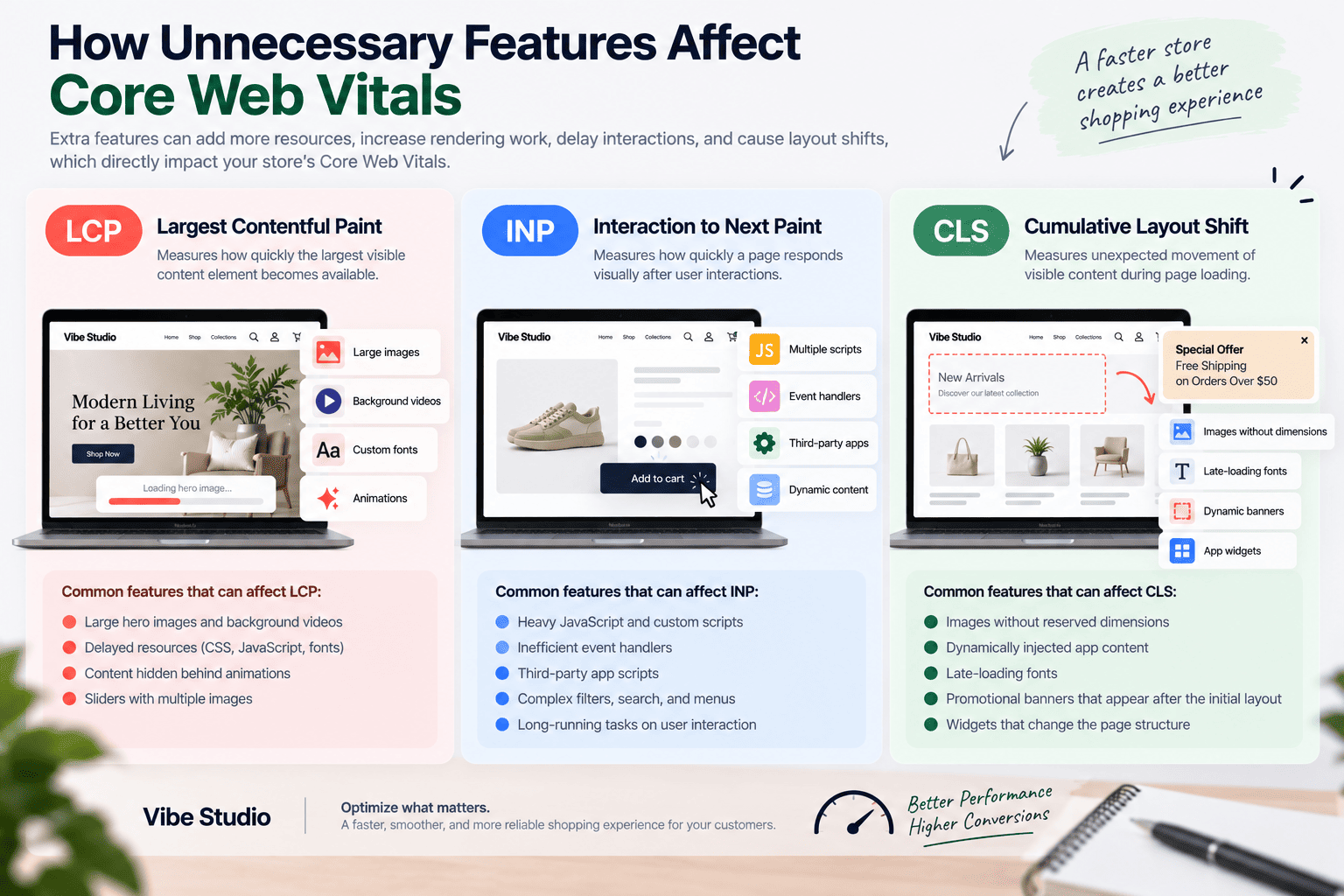
Core Web Vitals help evaluate important aspects of the customer experience, including loading, responsiveness, and visual stability.
The main metrics are:
Largest Contentful Paint (LCP)
LCP measures how quickly the largest visible content element becomes available.
Large hero images, background videos, delayed resources, and content hidden behind animations can affect LCP.
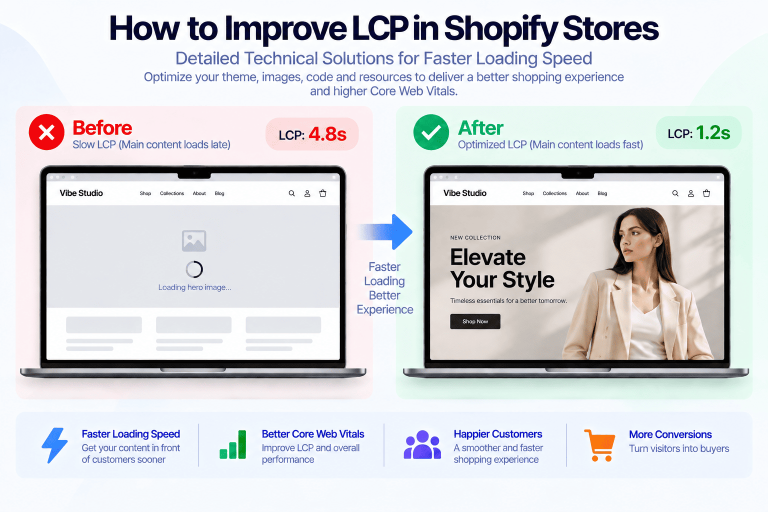
Shopify recommends loading the main LCP image eagerly, using suitable fetch priority, and avoiding animations that delay its rendering. For more practical techniques, explore our guide to improving LCP performance in Shopify stores.
Interaction to Next Paint (INP)
INP measures how quickly a page responds visually after user interactions.
Heavy JavaScript, inefficient event handlers, and long-running tasks can delay feedback when customers click buttons, open menus, or use filters.
Reducing unnecessary scripts, optimizing event handlers, and minimizing long-running tasks can help create a more responsive storefront. Learn more about optimizing INP in Shopify stores.
Cumulative Layout Shift (CLS)
CLS measures unexpected movement of visible content during page loading.
Common causes include:
- Images without reserved dimensions.
- Dynamically injected app content.
- Late-loading fonts.
- Promotional banners that appear after the initial layout.
- Widgets that change the page structure.
Using reserved dimensions, managing dynamic content carefully, and optimizing font loading can help reduce unexpected layout shifts. Discover more techniques for reducing CLS in Shopify stores.
Improving Core Web Vitals Through Theme Development
A performance-focused theme should:
- Reserve space for images and dynamic content.
- Reduce unnecessary JavaScript execution.
- Optimize important page resources.
- Avoid unexpected layout movement.
- Test interactive components on mobile devices.
- Load essential content efficiently.
Practical Ways to Improve Shopify Theme Performance
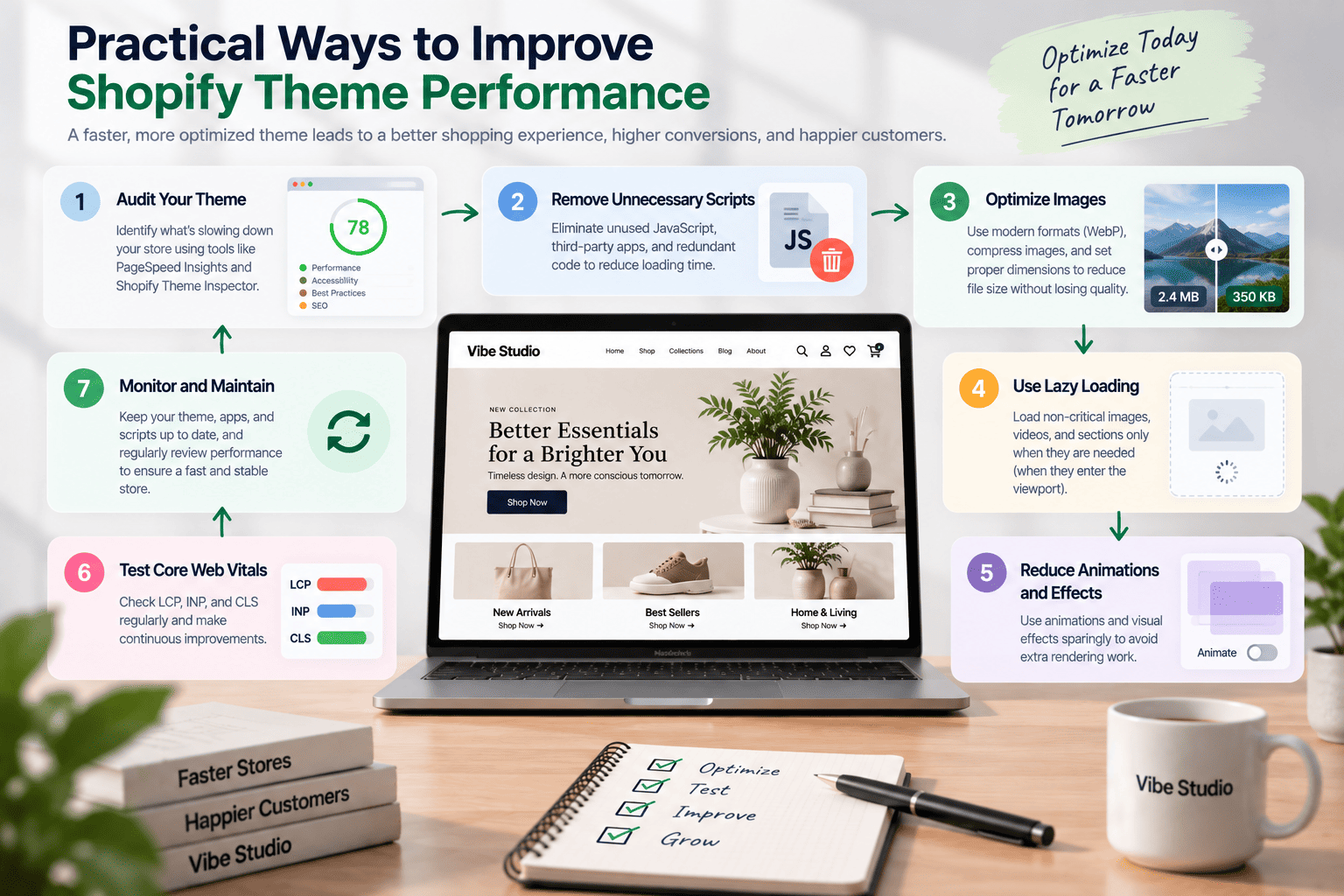
1. Load Resources Only When Needed
A theme may include many features, but not every page needs every script or stylesheet.
For example, product comparison JavaScript may be unnecessary on a blog post. Loading it only on relevant templates can reduce unnecessary resources.
Conditional loading can help improve maintainability and prevent features from affecting unrelated pages.
2. Use Modular Theme Components
Organize theme functionality into reusable sections, snippets, and JavaScript components.
A modular structure can make it easier to:
- Identify unused code.
- Load features conditionally.
- Maintain individual components.
- Debug performance issues.
- Update functionality over time.
Shopify recommends a purpose-built theme architecture that supports performance and maintainability.
3. Optimize Images
Images often contribute significantly to page loading performance.
Use Shopify’s image tools to generate suitable image sizes and responsive sources. Make sure images are not larger than necessary for their displayed dimensions.
Important considerations include:
- Appropriate image dimensions.
- Compression.
- Responsive image sources.
- Loading priority.
- Reserved image dimensions.
- Lazy loading for suitable below-the-fold content.
4. Reduce Unnecessary App Dependencies
Before installing an app, consider whether the required feature can be developed directly into the theme.
This decision should account for:
- Development cost.
- Ongoing maintenance.
- Feature complexity.
- Performance impact.
- Compatibility with future theme updates.
A custom implementation may reduce external dependencies, but it should be tested carefully to ensure that it does not introduce inefficient code.
5. Review Third-Party Scripts
Analytics, marketing, chat, and advertising tools can provide important business value. However, each script should be evaluated based on its purpose and performance cost.
Review:
- Whether the script is still required.
- Which pages load it.
- Whether it blocks important rendering work.
- Whether it duplicates another tool.
- Whether a lighter implementation is available.
Avoid removing essential business tools without evaluating their purpose and alternatives.
6. Test on Mobile Devices
Mobile users may have slower processors, limited memory, and less reliable network connections.
Test important storefront features on different devices and network conditions, especially:
- Navigation.
- Search.
- Product filtering.
- Quick view.
- Cart interactions.
- Product galleries.
- Promotional sections.
A theme should provide a consistent experience across screen sizes rather than being optimized only for desktop computers.
How to Build a Performance-Focused Shopify Theme
Performance should be considered during the planning and development stages, not only after a store becomes slow.
Plan Features Around Business Requirements
Start by identifying the features that customers and store administrators actually need.
For example, a store may require:
- Product comparison.
- Wishlist functionality.
- Quick add to cart.
- Custom product options.
- Advanced product filtering.
- Promotional banners.
- Dynamic cart updates.
Each feature should have a clear purpose and a suitable implementation strategy.
Avoid adding functionality simply because it is available. More features do not necessarily create a better shopping experience.
Prioritize Essential Content
The main navigation, product information, images, and purchasing actions should receive appropriate attention during development.
Secondary functionality should not prevent customers from accessing important content quickly.
For example, a decorative animation should not delay the primary product image, and a chat widget should not cover essential product information when the page first loads.
Use Liquid and HTML for Essential Content
When possible, important content should be rendered directly through Liquid and HTML rather than depending entirely on client-side JavaScript.
This approach can help browsers discover and display essential content earlier.
Dynamic JavaScript rendering still has an important role for interactive functionality, but it should be used strategically.
Build With Maintainability in Mind
A well-structured Shopify theme should support future updates and performance improvements.
Consider:
- Reusable components.
- Clear JavaScript organization.
- Efficient asset loading.
- Limited code duplication.
- Documented custom features.
- Compatibility with Shopify’s theme architecture.
If you are planning a custom storefront, our Custom Shopify Development service can help you evaluate and implement theme-specific requirements.
Shopify Theme Performance Checklist
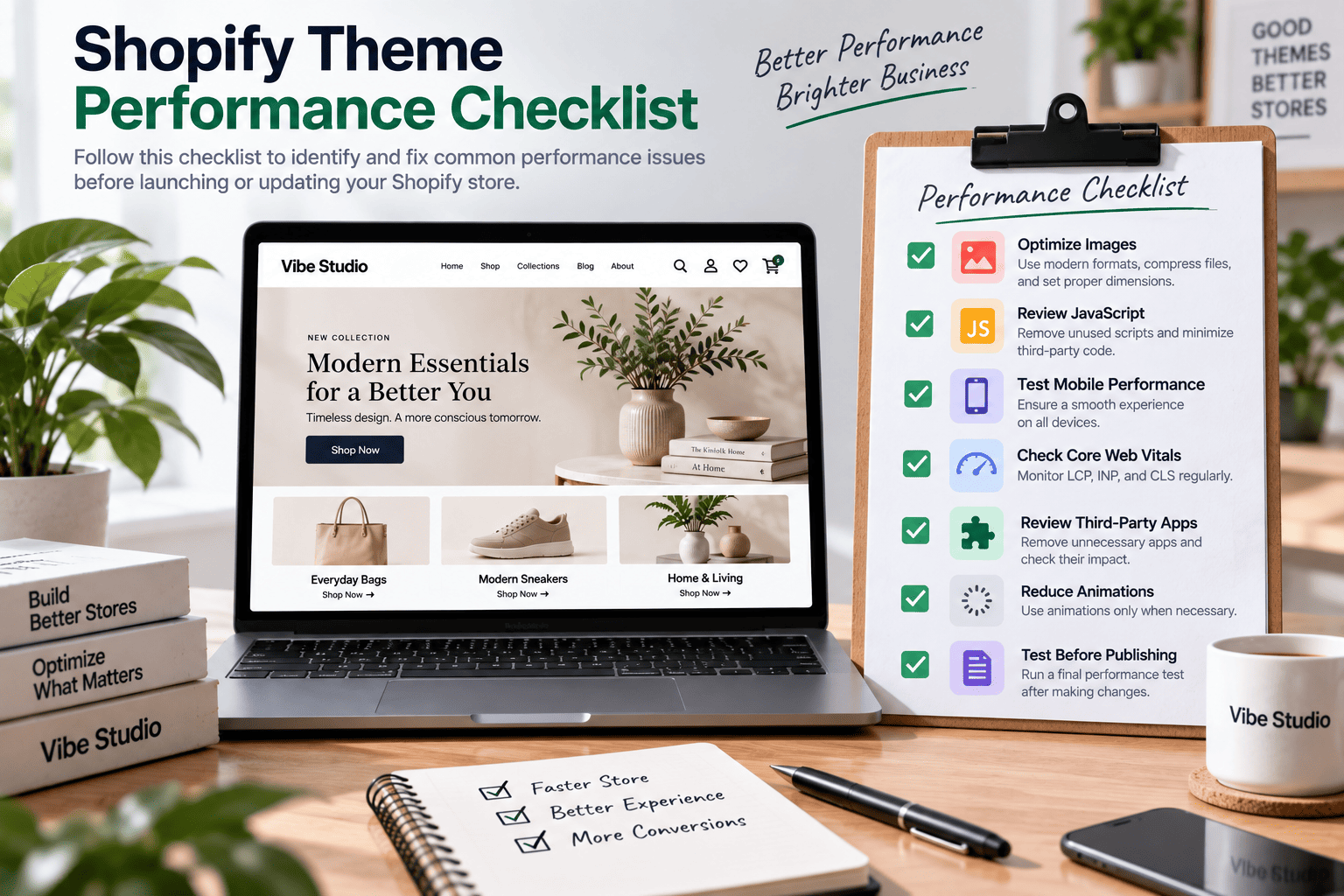
Use the following checklist before launching a new theme or publishing major changes.
Images and Media
- Images are appropriately sized and compressed.
- Responsive image sources are used.
- The main LCP image is not lazy-loaded.
- Below-the-fold images are lazy-loaded where appropriate.
- Video files are compressed.
- Videos include suitable poster images or fallbacks.
JavaScript and CSS
- Unnecessary scripts have been removed.
- Feature-specific scripts load only when required.
- Non-critical JavaScript is deferred where appropriate.
- CSS is organized and optimized.
- Animations do not delay important content.
- Event handlers are efficient.
Liquid and Theme Structure
- Deeply nested Liquid loops have been reviewed.
- Unnecessary variant processing is avoided.
- Repeated operations have been reduced.
- Sections and snippets are organized.
- Essential content is rendered efficiently.
Third-Party Apps
- Installed apps provide meaningful value.
- App scripts have been reviewed.
- Unnecessary external requests have been identified.
- Duplicate functionality has been removed where possible.
- App widgets do not cause unexpected layout shifts.
User Experience
- The theme works on mobile devices.
- Navigation and search respond smoothly.
- Product pages display important content efficiently.
- Cart interactions work correctly.
- Layout shifts are minimized.
- Important buttons and controls remain accessible.
Performance Testing
- Homepage performance has been tested.
- Product pages have been tested.
- Collection pages have been tested.
- Core Web Vitals have been reviewed.
- Mobile performance has been evaluated.
- Performance has been checked after major changes.
How to Test Shopify Theme Performance
Performance testing should use more than a single score from a single tool.
Use Lighthouse and PageSpeed Insights
These tools can help identify potential issues involving loading, rendering, JavaScript, images, and Core Web Vitals.
However, lab tests represent specific testing conditions. They do not necessarily reflect the experience of every customer.
Review Real User Data
Real user data can provide additional insight into how customers experience your storefront across different devices and network conditions.
Shopify provides web performance information and uses Core Web Vitals to evaluate storefront performance.
Compare Before and After Changes
When optimizing a theme, compare performance before and after meaningful changes.
For example:
- Before and after removing an unused script.
- Before and after optimizing a hero image.
- Before and after reducing app integrations.
- Before and after changing a complex animation.
- Before and after improving Liquid rendering.
Testing helps identify whether an optimization actually improves the customer experience.
When Should You Consider Custom Shopify Theme Development?
An existing theme may provide many useful features, but your business may eventually require more specialized functionality.
Custom Shopify theme development may be worth considering when you need:
- Features that are not available in your current theme.
- Custom product or collection layouts.
- A more streamlined storefront experience.
- Reduced reliance on third-party apps.
- Specific performance requirements.
- A design tailored to your brand.
- Better integration between custom features.
Custom development does not automatically guarantee better performance. The final result depends on the quality of the implementation, the feature scope, testing, and ongoing maintenance.
A well-planned custom theme can give developers greater control over how functionality is structured and delivered.
If your current theme contains unnecessary features or relies on too many external integrations, a custom solution may provide an opportunity to review the overall architecture.
Why Performance Should Be Considered Before Launch
Performance improvements are often more efficient when they are included in the initial development process.
Making decisions early can help reduce the need for extensive changes later. For example, choosing an appropriate image structure, organizing JavaScript modules, and planning app integrations can prevent avoidable problems.
Before launching your Shopify store, consider:
- Which features are essential?
- Which resources need to load immediately?
- Which functionality can be loaded later?
- Which features can be developed directly into the theme?
- Which third-party integrations are necessary?
- How will performance be monitored after launch?
A performance-focused development process balances business goals, design requirements, functionality, and technical efficiency.
Final Thoughts
Shopify theme performance depends on more than the number of features included in a storefront. JavaScript, animations, images, videos, Liquid code, and third-party integrations can all influence loading speed and responsiveness when they are not implemented carefully.
The solution is not to remove every advanced feature. Instead, focus on building functionality that serves a clear business purpose while optimizing how resources are loaded and processed.
Many features can be developed directly into the theme without relying on additional apps. This approach may help reduce recurring costs, third-party dependencies, and unnecessary external resources. However, custom development should be planned carefully to ensure that the final implementation remains efficient, maintainable, and compatible with Shopify’s theme architecture.
A well-developed Shopify theme should provide the features your business needs while supporting a fast and reliable customer experience.
If you need help building a custom Shopify theme or adding specific functionality, Vibe Studio can help you create a flexible, performance-focused storefront tailored to your business requirements.
Don’t hesitate to contact us if you need help developing a Shopify theme or improving its performance.